free Credit Note file
Free credit note template for Canada
Create a referenced credit note for Canada when you need to reduce, refund, correct, or cancel part of an invoice. The template includes original invoice reference, reason for credit, line-item adjustments, GST/HST fields, and local business identifiers.
- ✓Includes original invoice number, original invoice date, and credit reason fields.
- ✓Uses CAD (C$), GST/HST, and YYYY-MM-DD or DD/MM/YYYY date guidance.
- ✓Designed as a template only; official correction or e-invoice workflows may still apply in Canada.
Prefer to fill it out online? Open the credit note generator.

Credit Note
Canada template preview
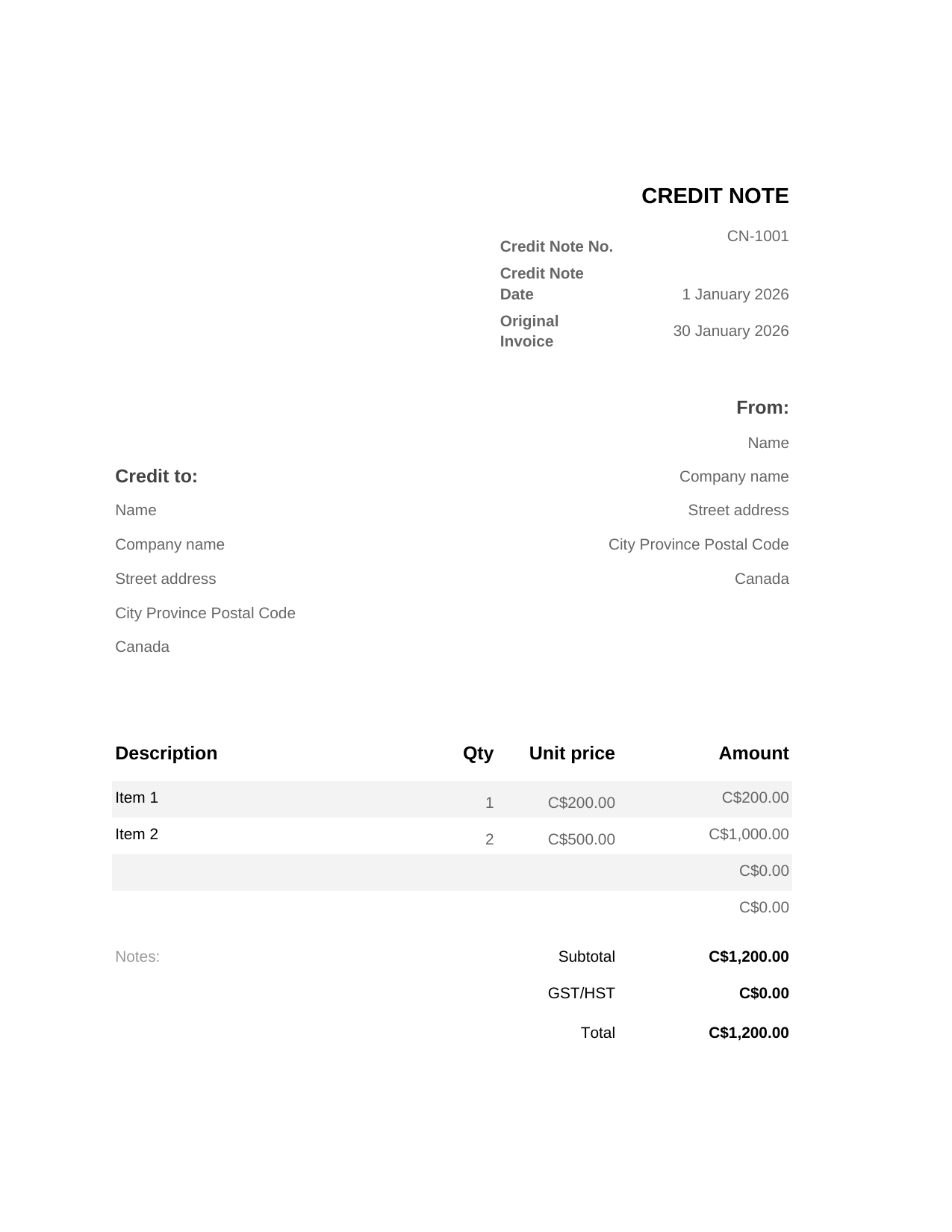
Preview generated from the same local labels and tax terminology used in the downloadable template.
How to use this credit note template for Canada
A credit note is used after an invoice has already been issued. It reduces or reverses part of that invoice because of a return, mistake, discount, cancellation, or agreed adjustment.
For Canada, the most important fields are the original invoice reference, reason for credit, corrected totals, GST/HST adjustment, and local identifiers such as GST/HST registration number if used, province/customer address, project reference.
Credit Note and invoice corrections in Canada
A credit note should reference the original invoice and explain the reason for the reduction. In some countries this template is only a working document: official e-invoice, fiscal invoice, CFDI, NF-e/NFS-e, or tax-platform correction rules may still apply.
Fields included in the template
Credit note number
Keeps the correction traceable as its own document.
Original invoice number and date
Connects the credit to the exact invoice being corrected.
Reason for credit
Explains whether the credit is for a return, overcharge, discount, cancellation, or tax correction.
GST/HST adjustment
Shows the tax amount being reduced or corrected without hiding the original transaction.
GST/HST registration number if used, province/customer address, project reference
Keeps the document aligned with Canada invoice records.
What to include
- Credit note number, issue date, and customer details.
- Original invoice number and original invoice date.
- Reason for credit or correction.
- Line items showing quantities, amounts, subtotal, GST/HST, and total credited.
- Local business identifiers such as GST/HST registration number if used, province/customer address, project reference where relevant.
Credit note, refund, or revised invoice?
Use a credit note when an already-issued invoice needs to be reduced or corrected. A refund records money returned, while a revised invoice may be appropriate only before the original invoice has been formally issued.
For Canada, do not assume a downloadable template replaces official tax-platform correction rules. Use this file as a clear working document and follow the local process where required.
How to customise the file
- Download the Excel or Word version, or use a Google copy link when available.
- Add your Canada seller details and the customer details.
- Enter the original invoice number, date, reason for credit, line items, and amount credited.
- Review the GST/HST adjustment and keep the original-invoice reference visible.
- Store the credit note with the original invoice records and complete any official correction workflow required locally.
Choose the best format
Excel
Credit notes with calculated line-item reversals, tax adjustments, and totals.
Word
Printable credit notes with a clear reason, original invoice reference, and customer note.
Google Sheets
Shared finance-team corrections before posting the final credit.
Google Docs
Text-heavy corrections where explanation and approval wording matter.
Related business document templates
Frequently asked questions
Is this credit note template enough to correct an invoice in Canada?
It gives you a clear editable document, but official correction, tax, or e-invoice rules may still apply. Always keep the original invoice reference and reason for credit visible.
What fields should a Canada credit note include?
Include credit note number, date, seller and customer details, original invoice number and date, reason for credit, line items, credited total, GST/HST adjustment, and local identifiers such as GST/HST registration number if used, province/customer address, project reference where relevant.
When should I issue a credit note?
Issue one when an invoice already sent to the customer needs to be reduced because of a return, overcharge, discount, cancellation, or correction.
Is a credit note the same as a refund?
No. A credit note adjusts the invoice record. A refund is the payment movement returning money to the customer.
Can this template adjust GST/HST?
It can show the expected GST/HST reduction, but the actual tax correction must follow the rules and systems that apply in Canada.


